Introduction
Academic productivity isn’t about working more hours. It’s about working smarter. Whether you’re a graduate student juggling coursework and research or a senior academic managing multiple projects, the right strategies can transform both your output and your well-being.
This guide offers evidence-based approaches for optimizing your academic workflow, from daily habits to semester-long planning.
The Academic Productivity Paradox
Academic work is different from typical office work. Your challenges are unique:
- Deep work takes sustained concentration on complex problems
- Project timelines stretch across months or years
- You wear multiple hats: teaching, research, service, administration
- Your schedule breaks constantly for conferences and deadlines
- Much of the work happens alone without immediate feedback
Time Management Fundamentals
Time Audit and Analysis
Before optimizing, understand your baseline. Track everything for one week using RescueTime, Toggl, or simple logging. Categorize activities: research, teaching, administration, personal time. Look for obvious time drains: too many meetings, constant email checking, mindless browsing. Notice when you’re most alert. These patterns reveal when you do your best work.
Energy Management Over Time Management
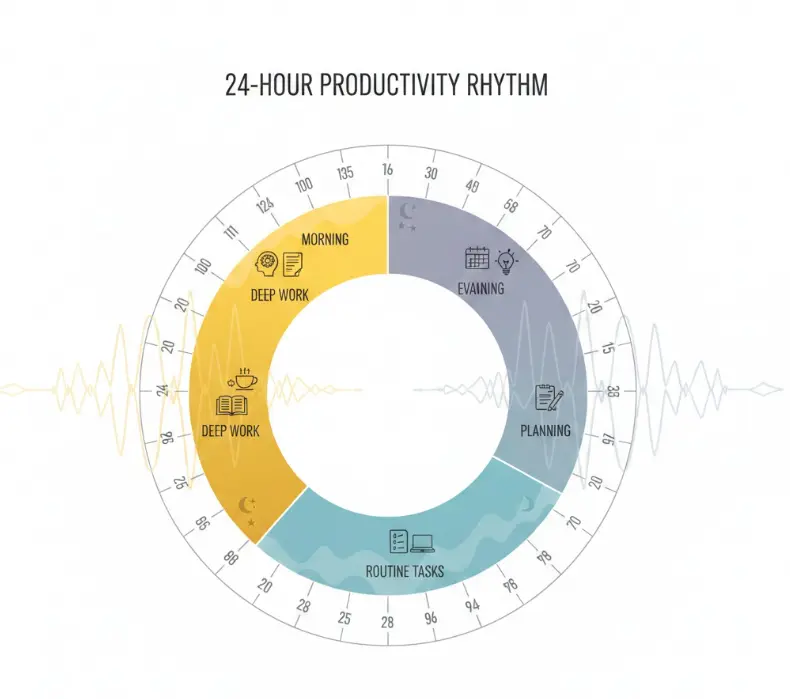
Time management alone won’t help if you’re fighting your natural rhythms. Energy matters more than time blocks. Most researchers peak in the morning, dip in the afternoon, and dip again by evening. Work with this, not against it.
Morning (8-11 AM): Deep work goes here. Complex analysis, challenging writing, novel research problems. This is your cognitive prime real estate.
Afternoon (1-4 PM): Energy drops but you’re still functional. Use this for data entry, organizing notes, literature review, routine email.
Evening (6-8 PM): Energy continues declining. Handle planning, light reading, administrative tasks that don’t require sharp thinking.
Research Workflow Optimization
The Research Pipeline Approach
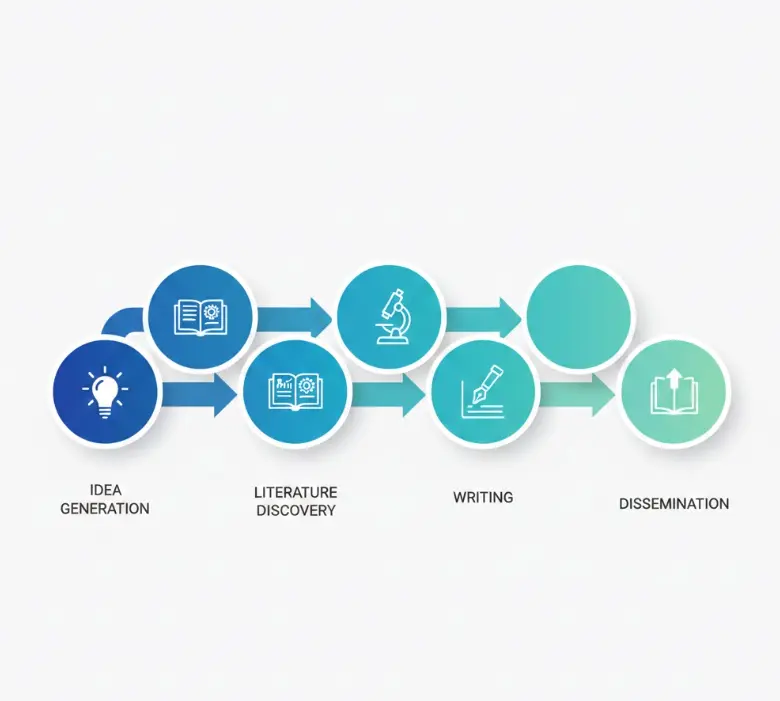
Think of research as moving through stages: idea generation, literature discovery, analysis, writing, and dissemination. Most researchers get stuck in one phase (endless literature reading, perpetual revision) because they don’t see the whole flow. Mapping these stages helps you move forward instead of circling back.
Project Management Systems
For solo projects, consider tools that match your workflow. Notion provides an all-in-one workspace combining notes, tasks, and databases. Obsidian specializes in networked thinking, letting you connect ideas across your research. Todoist offers straightforward task management with academic-specific templates.
For research teams, the tools shift toward collaboration. Slack handles real-time communication and file sharing across your team. Trello uses visual project boards that make progress immediately visible. Asana provides comprehensive project management for complex, multi-person workflows.
Research Note-Taking Systems
Digital note systems vary in approach. Roam Research uses bidirectional linking to build a graph of your ideas. RemNote integrates spaced repetition with note-taking, helping information stick. Logseq offers an open-source, privacy-focused option where your data stays local.
Some researchers prefer physical systems. The Cornell note-taking format structures how you capture lectures and readings. Mind mapping provides visual organization for complex topics. Simple index cards remain portable and flexible, particularly useful for field research where carrying a laptop isn’t practical.
Writing Productivity Strategies
Successful academic writers build consistent habits. A daily practice doesn’t require huge time commitments. Committing to 15-30 minutes most days beats occasional longer sessions. Pick the same time and place each day to build environmental cues that trigger writing mode. Track your word counts to maintain visible progress and momentum.
Beyond daily habits, block larger time for deep writing sessions that last 2-4 hours. During these blocks, eliminate distractions entirely: phone off, email closed, internet blocked for all but research needs. The key is knowing what you’ll write before you start, so you don’t waste the first 30 minutes figuring out your direction.
Writing Tools and Environment
Different software serves different purposes. Scrivener excels at organizing research and managing long-form writing. LaTeX produces professional typesetting for technical documents. Google Docs enables real-time collaboration and cloud syncing with colleagues. Ulysses offers a distraction-free interface built around markdown for writers who want minimal friction.
Your physical space matters as much as your software. Create a dedicated writing area that separates writing from other activities. Manage noise with headphones or ambient sound to match your preferences. Lighting should be natural when possible, or use a full-spectrum lamp for evening writing. Pay attention to ergonomics. A proper chair, monitor at eye level, and keyboard positioning prevent the fatigue that derails late-session writing.

Collaboration and Communication
Email Management
Email can consume hours without careful management. Implement a processing system that protects your deep work time. Check email only 2-3 times daily rather than continuously. This alone recovers hours. Use the two-minute rule: if something takes less than two minutes, handle it immediately. Everything else gets scheduled for later or deleted. Save template responses for common email types so you’re not rewriting the same message repeatedly.
Set up filters and labels to automate organization. Have conference announcements sort automatically into a folder you review weekly. Flag emails from key collaborators so they stand out. Archive newsletters and notification emails to reduce visual clutter in your main inbox.
Meeting Optimization
Academic meetings often lack structure and clear outcomes, wasting everyone’s time. Before scheduling, define the meeting’s purpose and desired outcomes. If there’s neither, skip the meeting. Send an agenda 24 hours in advance so participants can prepare meaningfully. Invite only the essential people needed to make decisions or contribute.
During the meeting, start and end precisely on time. Assign action items with specific deadlines to people before the meeting concludes. Take notes capturing actual decisions, not just what was discussed.
After the meeting ends, send a summary within 24 hours while memory is fresh. Follow up on the commitments people made. Schedule the next steps immediately rather than leaving it vague for “later.”
Technology Stack for Academics
Core Productivity Tools
Research management tools handle the heavy lifting of your literature work. Zotero and Mendeley manage references and annotate PDFs. Fynman provides AI-powered literature analysis and synthesis. Google Scholar tracks citations and sends alerts when your work is cited.
Writing and publishing tools smooth the final stages. Grammarly catches grammar and style issues in real-time. Hemingway Editor highlights readability problems. Canva lets you quickly design graphics and presentation slides.
Time and task management tools help you track what’s consuming your calendar. Toggl measures how time actually gets spent across projects. Forest gamifies the Pomodoro technique, making focused work feel like a game. Calendly automates scheduling so you’re not emailing back and forth trying to find meeting times.
Automation Opportunities
Automating repetitive tasks lets you focus energy on work that actually requires your expertise. IFTTT and Zapier can save articles from Twitter directly to your reading list, add conference dates to your calendar without manual entry, and backup research notes across multiple cloud services simultaneously.
Email rules multiply this effect. Auto-sort journal alerts by topic so you find what matters. Forward grant announcements to a dedicated folder rather than buried in your inbox. Flag emails from specific collaborators so they never get lost among routine messages.
Overcoming Common Productivity Obstacles
Procrastination and Perfectionism
Academic work rewards perfectionism, making it easy to polish forever. Recognize that drafts don’t need perfection. Set explicit “good enough” standards and move forward. Use time limits for research phases so you don’t vanish into endless literature reading. Share work early with colleagues for feedback rather than perfecting it alone. Most importantly, separate writing from editing. Your first draft’s job is capturing ideas, not being polished.
Imposter Syndrome and Motivation
Feeling like a fraud is remarkably common in academia, even among successful researchers. Combat this by keeping a “success journal” that documents actual accomplishments. When your brain argues you don’t belong, you have evidence. Seek regular feedback from mentors who can name specific strengths. Connect with peer support groups where you discover other researchers feel the same doubt. Remember that expertise develops through experience and learning, not innate talent.
Information Overload
The volume of academic literature can feel paralyzing. Use RSS feeds to get journal alerts rather than manually checking websites. Set specific times for literature browsing, say Tuesday and Friday mornings, rather than constant browsing. Practice the “just enough” research approach where you stop when you have sufficient information rather than reading everything. Regularly purge outdated materials from your reading list to keep it manageable.
Work-Life Balance
Academic careers blur boundaries between work and personal time in dangerous ways. Define clear work hours and locations rather than working everywhere all the time. Schedule non-negotiable personal time the same way you schedule meetings. Learn to say no to low-impact opportunities that eat time but don’t advance your career. Most importantly, take real vacations where you don’t check email or think about work.
Advanced Productivity Techniques
The classic 25-minute focused work periods adapt well to academic tasks. For literature review, one or two pomodoros per paper keeps you focused without getting stuck in any single paper too long. Data analysis often requires more sustained focus, so plan 3-4 pomodoros for complex tasks. Writing typically takes 2-3 pomodoros to produce 500-800 words.
Feel free to customize the timing. Extend to 50-90 minutes for deep analytical work where switching focus is particularly costly. Use shorter 15-minute blocks for administrative tasks that need less concentration. Take longer breaks between intellectually demanding sessions to let your brain recover.
Getting Things Done (GTD) for Academics
David Allen’s GTD system translates well to research contexts. Run a weekly review process where you empty all inboxes: email, physical papers, scattered notes. Process each item by asking what it is and what the next action would be. Organize items by context so you can batch work by location or tool: @computer for email and writing, @library for research, @phone for calls. Review your project lists and check upcoming deadlines. Finally, plan next week’s priorities so you start the week with clear direction.
Seasonal Academic Planning
Rather than fighting the academic calendar, align your productivity systems with it. Summer months from May through August should focus on research and writing when teaching doesn’t interrupt. Use summer for conference preparation, attendance, and preparing courses for the coming fall. During fall semester from September through December, manage your heavy teaching load, prepare grant applications, and submit conference abstracts. Spring semester from January through May shifts to manuscript revisions, submissions, and summer planning while you have mental space.
Measuring and Improving Productivity
Key Performance Indicators
Track metrics that actually matter for academic success. Research output includes papers submitted and published, conference presentations delivered, citations and h-index growth, and grant funding secured. These outcomes tell you whether your productivity system is producing impact.
Process metrics reveal what’s working in your workflow. How many hours of deep work do you actually achieve per week? How many words flow in a typical writing session? How many papers do you read monthly? What’s your response time to collaborators? These process measures help you adjust before outcomes suffer.
Continuous Improvement
Regular productivity reviews help optimize your systems over time. Monthly, ask yourself what systems worked well and what obstacles appeared. Which goals got achieved and what needs adjustment? Annually, review your overall career goals and priorities to ensure your productivity system still serves them. Eliminate outdated processes that aren’t delivering. Set new productivity goals for the coming year based on what you learned.
Conclusion
Productivity develops through experimentation. Find systems that match your style, goals, and values. Pick one or two techniques from this guide, not everything at once. Give them at least two weeks before judging.
Productivity isn’t the goal. Better research and a sustainable career are the goals. Productivity is the tool.
The most productive researchers aren’t the busiest. They’re the ones who make consistent progress on important work while maintaining their lives. Build sustainable habits that serve you for decades, not burnout strategies.